
Meta Conversion API Setup, Connect Your CRM to Meta the Right Way
Meta Conversion API (CAPI) lets you send website and CRM events straight to Meta's servers, closing the tracking gaps left by browser pixels alone. Here's how Trevion CRM makes the entire setup, from Pixel ID to event mapping, something your team can do without a developer.
Get Free Demo →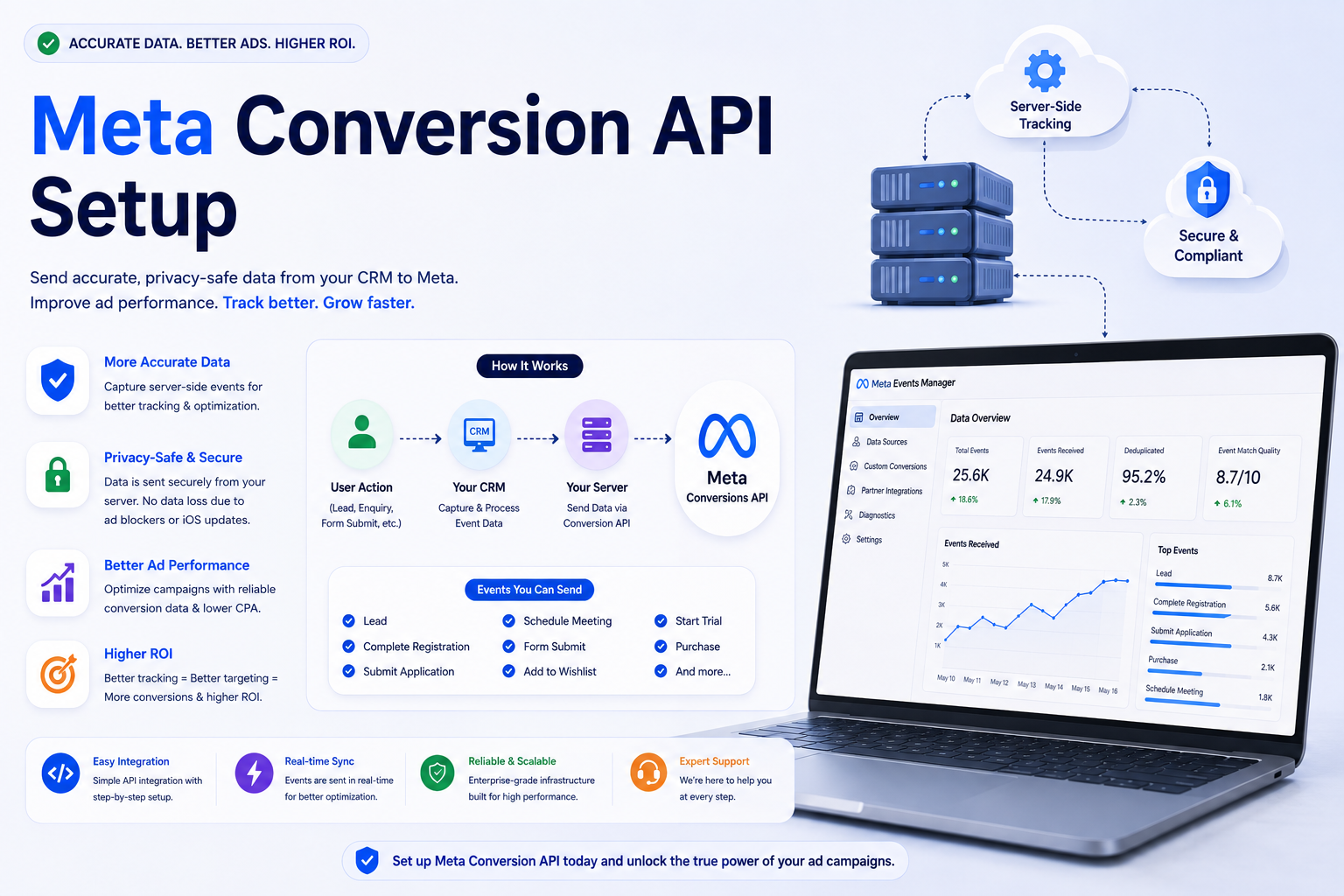
What a Proper Meta CAPI Setup Includes
Everything you need to run your business smarter and close deals faster.
Pixel ID & Access Token
Connect your existing Meta Pixel ID and generate a Conversions API access token from Meta Events Manager.
Event Mapping
Map your website actions and CRM lead stages, lead captured, contacted, qualified, converted, to Meta standard or custom events.
Test Events Verification
Use Meta's Test Events tool to confirm events are arriving correctly before going live, with the right parameters and match quality.
Data Hashing
Personal identifiers like email and phone are hashed with SHA-256 before transmission, as required by Meta's data processing terms.
Deduplication
A shared event ID between Pixel and server events ensures Meta doesn't count the same conversion twice.
Ongoing Monitoring
Event Match Quality and delivery status are tracked so you can catch and fix any drop in signal quality early.
Why Set Up Meta Conversion API
Browser-based tracking through the Meta Pixel alone has become unreliable. iOS privacy changes, browser tracking prevention and ad-blockers all reduce how many real conversions Meta actually sees. The Conversions API sends the same events directly from your server (or your CRM, in Trevion's case), giving Meta a more complete and accurate picture of what's actually happening after someone clicks your ad. The result is better campaign optimisation and, over time, a lower cost per genuine result.
- Recover conversions lost to browser tracking limits
- Send events that only exist in your CRM, like a closed sale
- Improve Meta's Event Match Quality score
- Build stronger custom audiences and lookalikes
- Works for lead generation, e-commerce and service businesses alike
- Complements, rather than replaces, your existing Pixel
The Setup Process, Step by Step
Setting up Meta Conversion API from scratch usually means involving a developer to write server-side code and maintain it. Inside Trevion CRM, this is replaced with a guided settings flow: connect your Meta Business account, paste in your Pixel ID and access token, then decide which CRM lead stages should map to which Meta events. Once saved, the integration runs automatically in the background for every new lead.
- Step 1: Generate a Conversions API access token in Meta Events Manager
- Step 2: Enter your Pixel ID and token into Trevion CRM settings
- Step 3: Map CRM lead stages to Meta standard/custom events
- Step 4: Run Meta's Test Events tool to confirm delivery
- Step 5: Go live and monitor Event Match Quality over time
- No code, no server maintenance, no developer on retainer
Pixel Only vs Server Events Only vs Pixel + CAPI Together
| Setup | Coverage | Recommended For |
|---|---|---|
| Pixel only | ⚠️ Misses iOS 14+/blocked events | Not recommended alone |
| Server events (CAPI) only | ⚠️ Misses fast, on-page browser signals | Rarely used alone |
| Pixel + Conversion API together | ✅ Deduplicated, maximum coverage | ✅ Meta's recommended setup |
Frequently Asked Questions
Ready to Set Up Meta Conversion API the Easy Way?
Get a free demo and see how Trevion CRM connects your CRM lead stages to Meta Conversion API, no developer, no code, just accurate campaign data.