Insights & Resources
Read Our Blogs
Helpful blogs, expert sales tips, and CRM guides written by industry specialists to help grow your business.
Helpful blogs, expert sales tips, and CRM guides written by industry specialists to help grow your business.
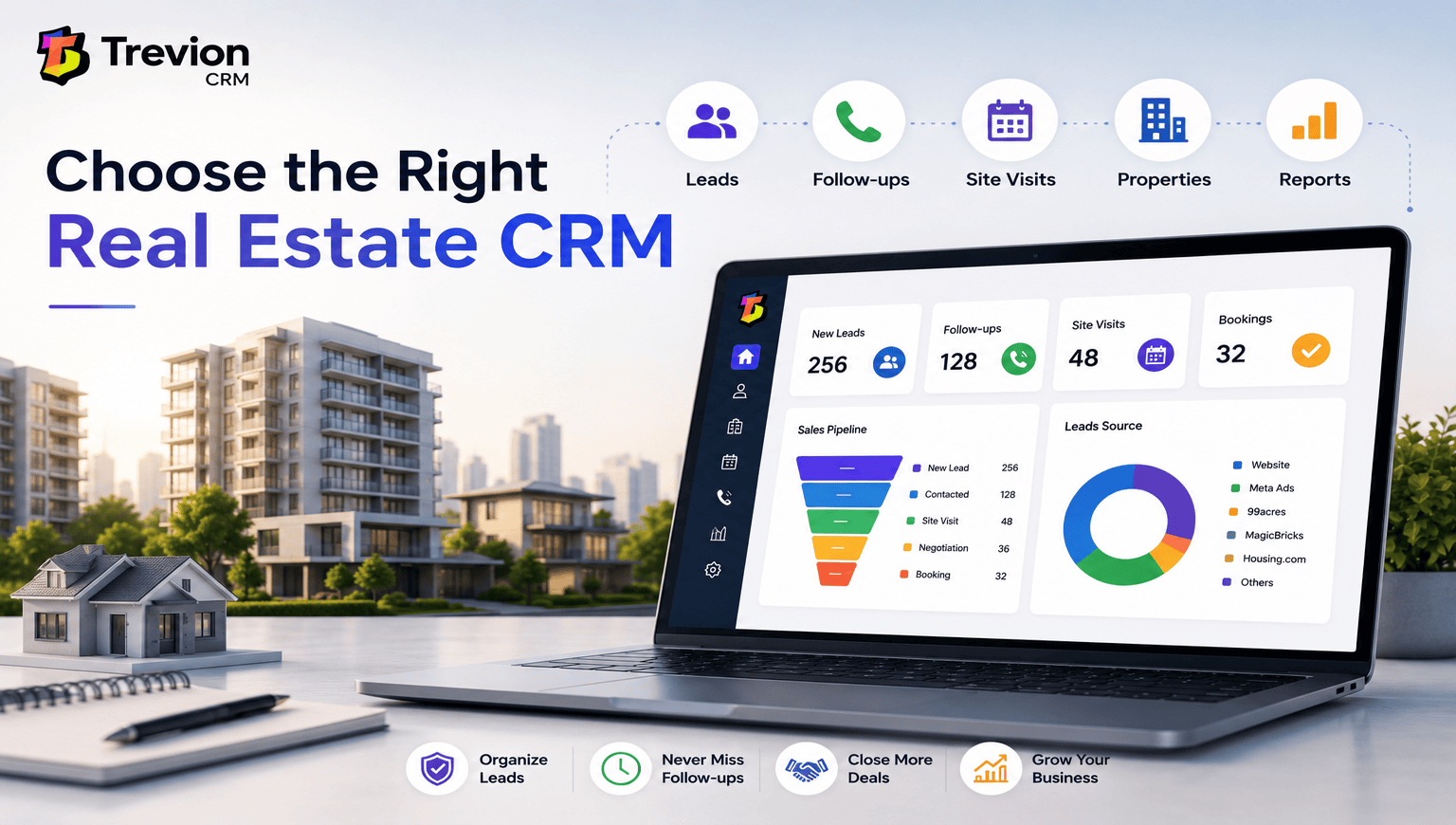
Choosing a CRM can feel confusing.
There are dozens of options available, and almost every CRM promises to help you generate more leads, improve sales, and manage your customers better.
But the best CRM for your real estate business isn't necessarily the one with the most features.
It is the one that fits how your sales team actually works.
Real estate sales usually involve several steps—from getting a lead to calling the customer, scheduling a site visit, following up, discussing the property, and finally closing the deal. A good CRM should make this process easier instead of adding more work.
Current real-estate CRM guides also emphasize lead capture, follow-ups, site visits, portal integrations, mobile usability, and real-estate-specific sales stages when evaluating a platform.
So, what should you actually look for?
Before comparing CRMs, look at your current process.
Ask yourself:
If you're still using Excel, WhatsApp chats, notebooks, or multiple spreadsheets, write down the problems you're facing.
This will help you understand what you actually need from a CRM.
Lead management should be one of the first things you check.
A real estate CRM should make it easy to capture, organize, assign, and track leads.
For example, leads may come from:
Instead of checking every source separately, your sales team should be able to manage these inquiries from one place.
This is especially important when you're handling a large number of leads.
Getting a lead is only the beginning.
A salesperson may need to call the customer several times before getting a response. They may also need to schedule a meeting or remind the customer about a site visit.
That's why follow-up management is so important.
Look for features such as:
The goal is simple: no good lead should be forgotten.
Site visits are an important part of real estate sales.
Your CRM should allow your team to schedule visits, track completed visits, record outcomes, and see what happens after the visit.
This gives sales managers a clearer picture of which leads are actually moving forward.
Some real-estate CRM platforms specifically include site-visit calendars, GPS check-ins, reminders, and visit outcomes, showing how important this workflow has become for property sales teams.
If you're a builder or developer, managing leads alone isn't enough.
You may also need to keep track of:
A CRM that combines sales and property information can save your team from switching between different systems.
If your business involves multiple projects, a dedicated CRM for Builders and Real Estate Developers can be particularly useful because the workflow is designed around real estate sales.
Communication is a big part of real estate sales.
Your sales team may use WhatsApp, phone calls, email, Meta Ads, Google Ads, and property portals every day.
So before buying a CRM, check which integrations it actually supports.
Don't just look for the word "integration."
Ask: Is it a native integration? Does it require another tool? Will leads be captured automatically? Can the sales team reply or follow up from the CRM? This small check can save you a lot of trouble later.
A CRM can have 100 features, but if your sales team doesn't use them, they don't really help.
The interface should be simple enough that a salesperson can quickly:
Open lead → Check history → Call → Add update → Schedule follow-up
without going through complicated menus.
Ease of use is also one of the factors highlighted in current CRM evaluations, alongside automation, integrations, support, and long-term value.
Real estate salespeople aren't always sitting at a desk.
They may be visiting properties, meeting customers, or travelling between projects.
That's why mobile access matters.
Your team should be able to check leads, make calls, update activities, and manage follow-ups from their phones.
A mobile-friendly CRM can be especially useful for field sales teams.
Price matters, but don't choose a CRM simply because it is cheap.
Check what is actually included in the price.
Look for:
Also think about your future team size. A CRM that looks affordable with five users may become expensive when your team grows to 30 or 50 users.
A good CRM should help managers answer simple questions:
This information helps you understand what is working and where your sales team needs improvement.
Here's a simple checklist to use when comparing different CRMs:
| Feature | Why It Matters |
|---|---|
| Lead Management | Organizes all inquiries |
| Follow-up Management | Prevents missed opportunities |
| Site Visit Tracking | Tracks customer visits |
| Project Management | Manages multiple projects |
| Property/Inventory | Tracks available units |
| WhatsApp Integration | Improves communication |
| Portal/Ad Integration | Brings leads into one place |
| Reports & Analytics | Measures sales performance |
| Mobile Access | Helps field sales teams |
| Automation | Saves time on repetitive tasks |

Before making the final decision, don't just watch a demo and immediately buy.
Ask for a trial or live demonstration if available.
Give the CRM to the people who will actually use it—especially your sales team.
Ask them to perform basic tasks:
Add a lead → Assign it → Make a call → Schedule a follow-up → Book a site visit → Update the lead
If these basic tasks feel easy, you're probably moving in the right direction.
A general CRM can be useful, especially if you need highly customizable sales pipelines.
But real estate has its own workflow.
A property lead isn't just a contact. The journey can involve inquiry → qualification → follow-up → site visit → negotiation → booking.
A dedicated Real Estate CRM is designed around these kinds of activities, which can make it easier for sales teams to manage their daily work.
Choosing a CRM doesn't have to be complicated.
Start with your current sales process and identify the problems you want the CRM to solve.
Then compare the important things: lead management, follow-ups, site visits, property management, integrations, mobile access, reporting, ease of use, and pricing.
Most importantly, don't choose a CRM just because it has a long list of features.
Choose one that your sales team will actually use every day.
That's what ultimately makes a CRM valuable for a real estate business.
Look for lead management, follow-up tracking, site visit management, property or inventory management, integrations, reporting, mobile access, and an easy-to-use interface.
A general CRM can work, but a real estate-specific CRM may be more convenient because it can support workflows such as site visits, property management, bookings, and project tracking.
There is no fixed amount. Compare pricing based on your team size, required features, integrations, and expected growth rather than choosing the cheapest option.
No. Ease of use is just as important. A CRM is useful only when your sales team actually uses it consistently.

Tired of losing track of your leads? Automate follow-ups, capture inquiries instantly, and accelerate conversions with Trevion CRM.
Get the latest expert sales tips, workflows, and CRM insights to grow your business.